
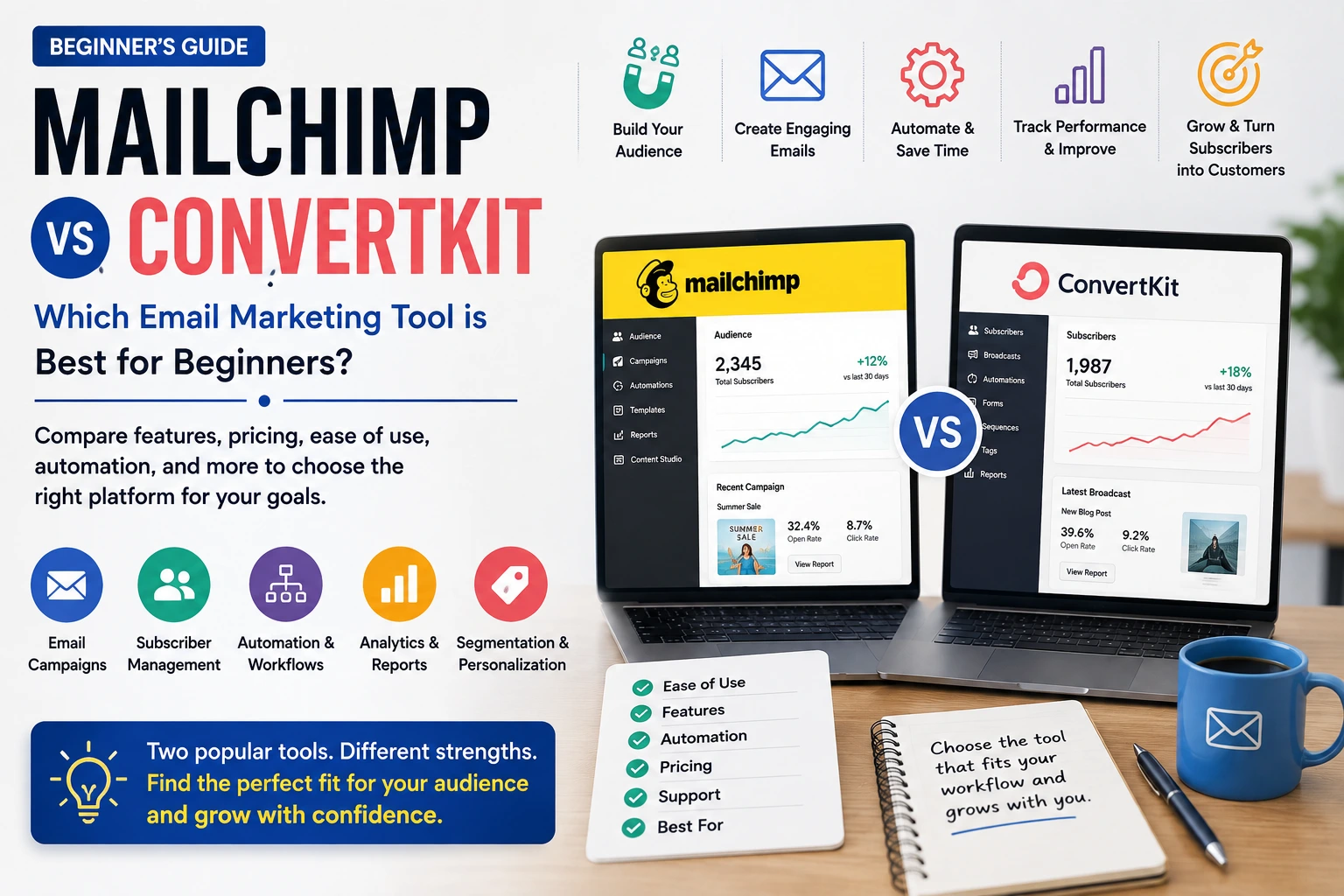
Mailchimp vs ConvertKit: A Beginner-Friendly Comparison
Introduction
Choosing an email marketing platform can feel like picking between two very similar tools—until you actually start building your first campaign.
For beginners, email marketing software needs to do more than send newsletters. You may want to build a subscriber list, create attractive emails, automate follow-ups, understand campaign performance, and eventually turn subscribers into customers. The problem is that many platforms describe their features in similar terms, making it difficult to understand which one will actually suit your needs.
That’s where a Mailchimp vs ConvertKit comparison becomes useful. Both platforms are well known, but they approach email marketing differently. One may feel more natural for a business running traditional campaigns, while the other may appeal more to creators who want to build a direct relationship with their audience.
Beginners often have the same questions: Which platform is easier to use? How much will it cost as the list grows? Is automation difficult? And will I end up paying for features I don’t need?
There isn’t one universal winner. The better choice depends on what you’re trying to accomplish and how you plan to grow your audience.
Before comparing the two, let’s look at what email marketing tools actually do and why they’re useful.
What Are Email Marketing Tools?
Email marketing tools are software platforms that help individuals and businesses communicate with their audiences through email. Instead of manually sending the same message to hundreds or thousands of people, you can use these platforms to organize contacts, create emails, schedule campaigns, and monitor how subscribers respond.
In simple terms, think of an email marketing platform as a central workspace for managing your email audience.
For example, imagine that you run a small online bakery. Someone visits your website and signs up to receive weekly recipes. When you have 20 subscribers, sending an email manually might not seem like a big deal. But what happens when that list grows to 5,000 people?
That’s where dedicated email software becomes useful.
You can store subscriber information, create a newsletter, schedule it, and send it to your audience without copying and pasting the same message repeatedly. Many platforms also allow automated emails. A new subscriber could receive a welcome message immediately, followed by another useful email a few days later.
You can also review campaign performance to understand how subscribers are interacting with your emails.
Different platforms are designed around different priorities. Some focus heavily on newsletters and traditional business campaigns, while others are particularly attractive to creators, personal brands, and people building automated audience journeys.
For beginners, one point is worth remembering: more features don’t automatically make a platform better.
A freelancer with a small audience may prefer a straightforward system, while a growing business might need more sophisticated marketing tools.
The right platform is the one that makes your email marketing easier to manage—not the one with the longest feature list.
Why Do People Use Email Marketing Tools?
Email marketing software exists for a simple reason: managing an audience manually becomes increasingly difficult as that audience grows.
It’s not usually one specific problem that pushes someone toward email software. Instead, it’s a collection of everyday challenges—growing subscriber lists, repetitive tasks, scattered information, and the need to communicate consistently.
Growing Subscriber Lists
Manual email management may work when you have a few dozen subscribers. It becomes a very different story when your audience reaches hundreds or thousands.
Imagine a food blogger who starts with 30 newsletter subscribers. At first, sending an update might take only a few minutes. A year later, the list could contain 5,000 people.
Trying to manage those contacts manually would be inefficient and could easily lead to mistakes.
Why it matters: Email marketing platforms give you a structured way to store and manage a growing audience.
Repetitive Email Tasks
Many businesses send similar emails again and again. Welcome messages, product updates, newsletters, reminders, and follow-ups are common examples.
Consider an online course creator who wants every new subscriber to receive a welcome email immediately, followed by several educational messages over the next week.
Doing that manually for every new subscriber would quickly become exhausting.
Why it matters: Automation can handle repetitive communication while giving you more time to focus on creating content and running your business.
Difficulty Organizing Subscribers
Not every subscriber has the same interests.
A fitness website, for example, might have readers interested in running, strength training, nutrition, or personal coaching. Sending exactly the same message to everyone may not always make sense.
Why it matters: Email platforms can help organize audiences so businesses can send more relevant content.
Measuring Email Performance
Sending an email is only part of the job. You also want to know whether people are paying attention.
Suppose a small business sends a promotional newsletter and receives very little response. Without useful performance information, it becomes difficult to understand what worked, what didn’t, and what should change next time.
Why it matters: Email marketing platforms provide performance information that can help marketers understand how subscribers interact with campaigns.
Maintaining Consistent Communication
It’s surprisingly easy for newsletters to fall off the schedule when you’re busy.
A freelance designer, for example, might intend to send a monthly newsletter but repeatedly postpone it because client work takes priority.
Why it matters: Scheduling and automation can make regular communication easier to maintain.
Growing an Online Business
An email list can become an important part of an online business strategy. A creator might use email to share new articles, promote digital products, announce services, or stay connected with existing customers.
Why it matters: A dedicated email system provides a more organized way to manage communication as an audience and business grow.
These challenges explain why platforms such as Mailchimp and ConvertKit exist. The real question is which approach makes more sense for your particular audience, workflow, and goals.
Best Ways to Choose Between Mailchimp and ConvertKit
Finding an email marketing platform is easy. Finding one that you’ll actually enjoy using six months from now is harder.
A platform may have dozens of impressive features and still become frustrating if the interface is confusing or its workflow doesn’t match the way you work.
Here are practical ways to make a better decision.
1. Start With Your Main Email Marketing Goal
Before comparing platforms, figure out what you actually want your email marketing to accomplish.
If you’re planning to send a weekly newsletter for a small business, your needs may be fairly simple. If you’re a creator selling courses, digital products, or memberships, you may need stronger audience management and automated email sequences.
Why it works: Your goal gives you a clear basis for comparison instead of letting flashy features make the decision for you.
Example: A local bakery may primarily need newsletters and promotions, while a YouTuber might care more about growing an audience and sending automated sequences.
Mistake to avoid: Don’t choose a platform simply because a popular creator or competitor recommends it. Their business model could be completely different from yours.
2. Compare Costs at Your Expected List Size
Don’t look only at what you’ll pay today. Think about what happens when your subscriber list grows.
Imagine starting with 500 subscribers and eventually reaching 10,000. A platform that looks affordable initially may become much more expensive as your audience expands.
Why it works: Looking ahead helps you avoid making a decision based entirely on an attractive entry-level price.
Example: If you’re launching a newsletter with plans to build a large audience, estimate the potential cost at several subscriber milestones.
Mistake to avoid: Don’t compare only the cheapest plans. Look at subscriber limits, sending allowances, and which features are included at each level.
3. Think About How You Prefer to Create Emails
Consider the kind of emails you’ll actually be sending.
A traditional business may need promotional newsletters, announcements, and visually designed campaigns. A creator might prefer writing straightforward, personal emails that feel more like a message from an individual.
Why it works: Your preferred writing style can make a big difference in which platform feels natural.
Example: A clothing store might want attractive product-focused emails with images. A career coach may mainly send text-based advice and personal stories.
Mistake to avoid: Don’t choose a platform because its editor looks impressive if the actual workflow doesn’t suit your content.
4. Look Closely at Automation
Automation can become extremely valuable as your audience grows.
For example, an online course creator might want a new subscriber to receive a welcome email immediately, followed by several educational messages over the next week.
Why it works: Thinking about automation early can prevent you from having to rebuild your email strategy later.
Example: A photography website could automatically send a welcome message, a beginner photography guide, and information about a paid course.
Mistake to avoid: Don’t create complicated automation just because the feature is available. Start with sequences that solve a real communication problem.
5. Consider How You Want to Organize Subscribers
Think about whether different groups of subscribers should receive different content.
An online fitness business, for instance, might have subscribers interested in running, strength training, nutrition, or coaching.
Why it works: Better audience organization can help you make your emails more relevant.
Example: Someone who downloaded a beginner running guide might receive running-related content instead of emails aimed at experienced athletes.
Mistake to avoid: Don’t create dozens of audience categories that become difficult to manage. Focus on distinctions that actually affect what people should receive.
6. Test Both Platforms Yourself
Reading comparisons is helpful, but actually using the software can tell you much more.
If a free plan or trial provides the features you need, create a small test campaign. Add a few contacts, write an email, build a basic sequence, and explore the reporting area.
Why it works: You may discover that a feature that sounds excellent on paper is awkward to use—or that a platform you initially overlooked feels surprisingly comfortable.
Example: Rather than simply browsing the dashboard, give yourself a real task: create a welcome sequence from beginning to end.
Mistake to avoid: Don’t spend five minutes testing each platform and immediately declare a winner. Try to perform the same tasks in both so you have a fair comparison.
7. Check the Migration Process Before Switching
If you already have an email list, moving platforms requires more planning than starting from scratch.
Subscriber information, forms, audience organization, automations, and existing campaigns may all need attention.
Why it works: Understanding the migration process beforehand can prevent unnecessary disruption.
Example: A blogger with several thousand subscribers and multiple automated sequences shouldn’t switch platforms without first understanding what needs to be recreated or transferred.
Mistake to avoid: Never assume everything will transfer perfectly. Test important elements before fully switching.
8. Look Beyond the Free Plan
Free plans are useful for getting started, but they shouldn’t be the only thing you compare.
Think about what happens when you need more subscribers, advanced automation, additional reporting, or other features.
Why it works: You’re choosing a platform for your future workflow, not just the first few weeks.
Example: A creator may start with a small newsletter and later launch a paid course. Features that seemed unnecessary at first may become important later.
Mistake to avoid: Don’t upgrade simply because a feature sounds impressive. Pay for tools that solve an actual business problem.
9. Consider How Comfortable You Feel With the Interface
A technically capable platform isn’t very helpful if you constantly struggle to find what you’re looking for.
Spend some time exploring the dashboard, email editor, subscriber management, automation tools, and reports.
Why it works: Email marketing is usually a long-term activity. A platform that feels manageable is more likely to become part of your regular routine.
Example: If you plan to publish a newsletter every Tuesday, imagine yourself repeating that process every week. Does it feel straightforward?
Mistake to avoid: Don’t confuse a polished dashboard with an easy workflow. Test the actual steps you’ll perform regularly.
10. Compare the Platforms Based on Your Priorities
After testing both options, create a simple comparison based on what matters most to you.
You might compare ease of use, pricing, automation, audience management, email creation, analytics, and long-term suitability.
Why it works: A simple scorecard keeps one impressive feature from dominating your entire decision.
Example: A small creator might prioritize ease of use and audience growth. A larger business may place greater emphasis on campaign management, integrations, and team requirements.
Mistake to avoid: Don’t try to declare one platform the universal winner. Your audience, content strategy, budget, and growth plans should determine the choice.
The goal isn’t to find the software with the most features. It’s to find the one that lets you communicate consistently without making your workflow unnecessarily complicated.
Expert Tips
Choosing the platform is only half the job. In real-world email marketing, the small decisions you make after signing up can have an even bigger impact.
Here are five tips that are easy to overlook when comparing Mailchimp and ConvertKit/Kit.
1. Test the Entire Subscriber Journey
Don’t test only the email editor. Subscribe to your own list and experience what a new subscriber actually sees.
For example, sign up through your website, check the confirmation process, receive the welcome email, and follow the next few messages.
Look for confusing instructions, unexpected delays, broken links, or emails that don’t feel connected.
Where people fail: They test campaigns from the sender’s side but never experience the process as a subscriber.
Professional tip: Keep a test email address specifically for checking forms and automated sequences before publishing them.
2. Don’t Build Automation Before Understanding Your Audience
Automation can save a huge amount of time, but complicated sequences aren’t automatically better.
Imagine a personal finance blogger creating ten automated emails before understanding whether subscribers are primarily interested in budgeting, investing, or saving money.
The sequence might look sophisticated but still deliver irrelevant information.
Why this matters: Good automation starts with a clear understanding of the subscriber journey.
Where people fail: They build elaborate sequences simply because the software makes them possible.
Practical approach: Start with one useful welcome sequence. Improve it after you understand how subscribers respond.
3. Focus on Subscriber Quality, Not Just List Size
A growing email list looks impressive, but subscriber numbers alone don’t tell you whether your marketing is working.
Suppose one creator has 10,000 subscribers who rarely interact with emails, while another has 3,000 highly engaged readers who regularly click links and purchase products.
The smaller list could be much more valuable.
Why this matters: An engaged audience is generally more useful than a large but inactive database.
Where people fail: They focus heavily on attracting new subscribers while ignoring whether existing readers remain interested.
Professional tip: Watch engagement patterns and regularly review whether your audience still wants the content you’re sending.
4. Write the Email Before Designing It
It’s easy to spend hours choosing colors, images, buttons, and layouts. But sometimes a simple email written in a natural voice is better suited to the message.
Consider a career coach sharing advice about negotiating a salary. A straightforward email that feels like personal advice may work better than an elaborate promotional newsletter.
Why this matters: The format should support the message rather than distract from it.
Where people fail: They start designing before deciding what they actually want to say.
Professional tip: Write the message first. Then decide which design elements genuinely improve it.
5. Plan for Your Future Workflow
A platform that works perfectly with 200 subscribers may feel very different when you have 20,000—or when your business starts selling products and services.
A creator might begin by sending one weekly newsletter. Six months later, they could have a welcome sequence, audience groups, promotional campaigns, and automated product emails.
Why this matters: Changing platforms later can take time and require careful migration.
Where people fail: They choose entirely based on what they need today without considering how their email strategy could develop.
Professional tip: You don’t need to pay for advanced features immediately. Just make sure the platform you’re considering can realistically support the direction you expect your business to take.
The best email setup is usually simple enough to use today while giving you room to grow tomorrow.
Common Mistakes to Avoid
Choosing between email marketing platforms becomes much easier when you know which traps to avoid. Beginners often focus heavily on features and pricing while overlooking how the software will actually fit into their everyday workflow.
- Choosing based only on the cheapest plan
A low starting price can be tempting, but it doesn’t tell you what you’ll pay as your list grows. Important features may also be restricted to higher plans.
Correct approach: Look at today’s cost and estimate what you’ll likely pay as your audience expands. - Choosing a platform because everyone else uses it
A popular platform isn’t automatically right for your business. A creator, ecommerce store, and local service provider can have completely different needs.
Correct approach: Compare platforms according to your audience, content style, workflow, and future plans. - Ignoring the subscriber experience
It’s easy to focus on the dashboard while forgetting that subscribers are the people receiving your emails. Confusing forms, unclear confirmations, or poorly timed automated emails can create a poor first impression.
Correct approach: Subscribe to your own list and experience the entire journey from a customer’s perspective. - Overcomplicating automation
Beginners sometimes create complicated sequences simply because automation is available. The result can be confusing or irrelevant emails.
Correct approach: Start with a simple welcome sequence and add automation when it solves a specific problem. - Treating subscriber count as the main success metric
Thousands of subscribers may sound impressive, but a large inactive list isn’t necessarily valuable.
Correct approach: Pay attention to meaningful engagement and whether your emails are helping you reach your actual goals. - Switching platforms without planning the migration
Moving an established email list can involve more than exporting contacts. Forms, automations, campaigns, and subscriber information may need separate attention.
Correct approach: Understand the migration process and test important elements before completely moving your email operation. - Spending too much time on design and too little on content
A beautiful email can still perform poorly if the message is unclear or irrelevant.
Correct approach: Create useful, easy-to-understand content first, then use design to support it. - Failing to test emails before sending them
Broken links, incorrect personalization, formatting problems, or missing information can make an otherwise good campaign look unprofessional.
Correct approach: Send yourself a test email and check the subject line, links, formatting, images, and overall experience before publishing.
Avoiding these mistakes makes the Mailchimp vs ConvertKit decision more practical. Instead of asking which platform is universally better, focus on which one fits the way you plan to communicate with your audience.
Pros and Cons of Email Marketing Tools
Email marketing platforms can make it considerably easier to build an audience and communicate consistently. But they aren’t perfect, and the right choice depends on your goals, budget, audience size, and workflow.
Pros
- Centralized subscriber management — Contact information and audience activity can be organized in one place rather than managed manually.
- Email automation — Welcome messages, follow-ups, and recurring emails can be sent automatically once properly configured.
- Time savings — Scheduling campaigns reduces the need to manually send messages every time you want to communicate.
- Performance tracking — Most platforms provide information about how subscribers interact with campaigns.
- Professional email creation — Built-in editors and templates can help beginners create polished emails without starting from scratch.
- Audience organization — Depending on the platform, subscribers can be organized according to interests or other useful characteristics.
- Room to grow — Email platforms can support a business as it moves from a small list toward a larger audience and more sophisticated campaigns.
Cons
- Costs can increase as your list grows — A platform that looks inexpensive at first may become more costly as you add subscribers or require additional features.
- Learning curve — Automation, audience management, and other features can take time to understand.
- Too many features can create confusion — Having lots of options can make simple tasks feel more complicated than necessary.
- Migration can be inconvenient — Moving an established list and existing workflows to another platform may require careful preparation.
- Automation requires maintenance — Automated sequences can become outdated when products, links, offers, or messaging change.
- Consistent content is still necessary — Software alone doesn’t create a successful email strategy. You still need useful and relevant content.
- Platforms differ in important ways — A feature that works well for one type of user may be less useful for another.
Overall, email marketing software is best viewed as a support system rather than a complete marketing solution. Its value depends on how well it fits your workflow and how consistently you use it.
Frequently Asked Questions About Email Marketing Tools
Is Mailchimp or ConvertKit better for beginners?
Neither is automatically better for every beginner. The right choice depends on what you plan to do with email marketing. Someone running traditional business newsletters may have different requirements from a creator building a personal audience. Consider how you write emails, how you plan to grow your list, which features you actually need, and how comfortable you are with the interface. Testing the workflow yourself can be more useful than relying on popularity alone.
Can I use Mailchimp or ConvertKit for a small email list?
Yes. Both types of platforms can be useful when you’re starting with a relatively small audience. Starting early can help you establish an email workflow before your list becomes large. However, check the current subscriber limits and features available on the plan you intend to use. It’s also worth thinking ahead because a list that begins with a few hundred subscribers can grow quickly.
Can I migrate my email list from Mailchimp to ConvertKit?
Moving an email list between platforms is possible, but it requires planning. Subscriber information, forms, audience organization, automated sequences, and existing campaigns may need separate attention. The exact process depends on your current setup and the destination platform. If you have an established list, don’t rush the switch. Test the new environment and make sure important workflows are functioning correctly before moving everything.
Which email marketing platform is better for creators?
Creators often have different needs from traditional businesses. A writer, YouTuber, coach, or online educator may care about building a direct relationship with subscribers, publishing regular content, and creating automated sequences. However, there isn’t one universally best platform for creators. Consider how you publish content, how you plan to monetize your audience, and which audience-management features you’ll actually use before choosing.
Do I need an email marketing platform for a newsletter?
You can technically send newsletters without specialized software, but dedicated platforms become increasingly useful as an audience grows. They can help manage subscribers, schedule campaigns, create professional emails, and monitor performance. Manually sending large numbers of emails can quickly become difficult to manage. For a tiny personal newsletter, a basic solution might be enough. Businesses and growing publications generally benefit from dedicated email software.
Can email marketing tools send automated welcome emails?
Yes. Automated welcome emails are one of the most common uses for email marketing software. For example, when someone signs up for a free guide, you could automatically send a welcome message explaining what they can expect from your newsletter. You might follow that with useful resources. The important thing is to keep the sequence relevant and make sure the emails continue to reflect your current content, products, and offers.
Should I switch from Mailchimp to ConvertKit?
Switching makes sense when the new platform solves a genuine problem with your current setup. You might consider changing if your workflow has become difficult to manage, your audience strategy has changed, or another platform better matches how you create and send emails. Don’t switch simply because another service is popular. First identify what’s frustrating you, then confirm that the alternative actually addresses those problems.
Can I use email marketing software without technical knowledge?
Yes. Modern email marketing platforms are generally designed so beginners can create campaigns without writing code. You can usually create emails, manage subscribers, and build basic automation through visual interfaces. That doesn’t mean every feature will be immediately obvious. Advanced automation, integrations, and audience management can require some learning. Starting with basic campaigns and gradually exploring additional features is usually the easiest approach.
How often should a small business send marketing emails?
There isn’t one schedule that works for every business. The right frequency depends on your audience, content, and how much genuinely useful information you have to share. A weekly newsletter might work well for one company, while another may communicate less often. Consistency and relevance matter more than hitting an arbitrary number. Sending unnecessary emails can frustrate subscribers, while sending too rarely may cause people to forget why they subscribed.
What happens if my email list becomes inactive?
An inactive list can make your email marketing less effective because some subscribers may no longer be interested in your content. Instead of focusing only on adding new contacts, review engagement over time and consider whether inactive subscribers still need regular emails. You can also examine your content, subject lines, and sending frequency to identify possible reasons for declining engagement. Keeping your audience relevant is generally more useful than focusing only on subscriber numbers.
Conclusion
Choosing between Mailchimp and ConvertKit/Kit isn’t about finding a platform that wins for everyone. It’s about finding the one that fits your audience, content style, budget, and plans for growth.
Both platforms can help you manage subscribers, create campaigns, automate messages, and build a more consistent relationship with your audience. The meaningful differences often come down to how you prefer to create emails, organize subscribers, use automation, and manage your workflow as your list grows.
If you’re just getting started, don’t let a long feature list make the decision for you. Think about what you genuinely need today and where you expect your email marketing to go in the future. Pricing deserves attention too, particularly if you expect your subscriber list to grow.
Most importantly, test the platforms yourself whenever possible. Create a sample campaign, experience the subscriber journey, and see whether the workflow feels comfortable.
There is no universal winner in the Mailchimp vs ConvertKit comparison. The best choice is the platform you can understand, use consistently, and grow with over time.